Case study · 2025
Industrial Productivity Tracking
Factory-floor shift and productivity tracking running in kiosk mode on 2011 iPads, with an offline queue and management dashboards. Replaced paper logs across 6 production sections.
Context
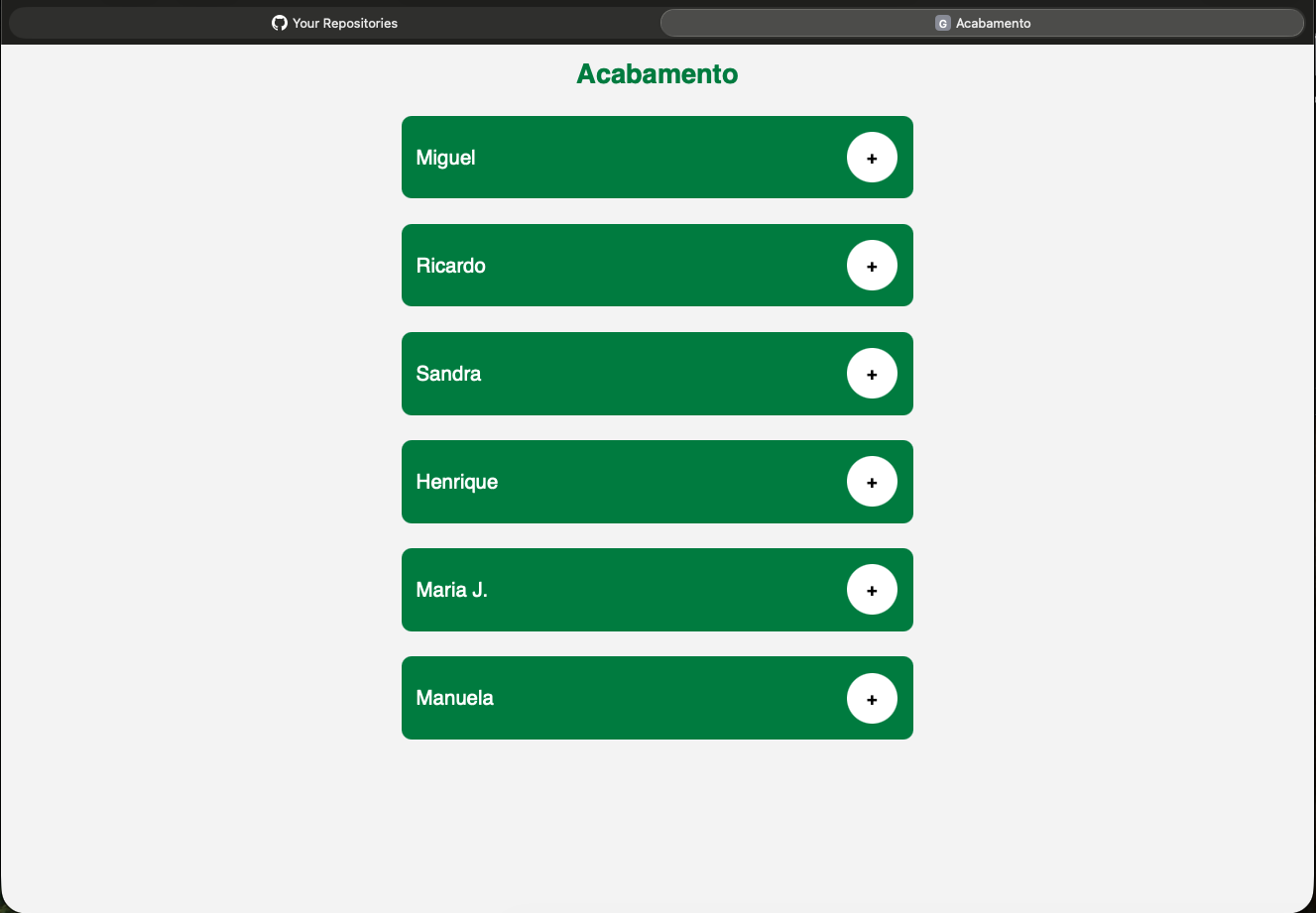
A furniture factory needed to track shift hours, work orders and productivity across 6 production sections. Records were kept on paper - error-prone and always lagging behind the factory floor.
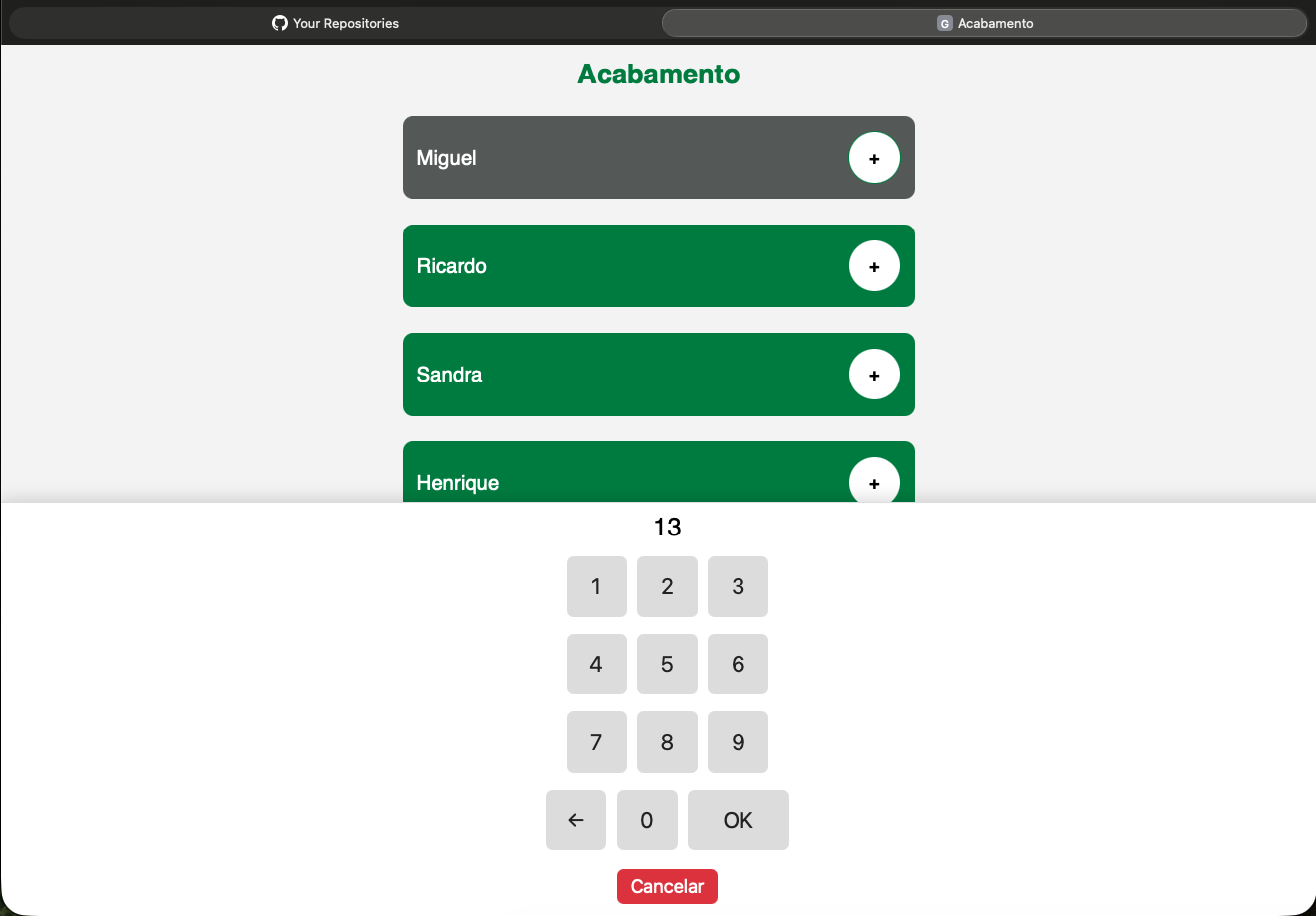
The tablets available were 2011 iPad 2 devices, locked to Safari 9.3.5.
Problem
Reading delays, errors and per-shift productivity depended on paper and operational memory. Management had no way to see who was active, where the bottlenecks were, or the real cost per section - without waiting for the end of the day.
Constraints
- Safari 9.3.5 (2011): no modern frameworks, no transpilers - pure ES5 JavaScript.
- The factory network drops: registrations must survive outages of up to 30 minutes.
- The 3 requests/second limit of the Notion API, the chosen data backend.
Decisions
- Vanilla ES5 JS with no build step: compatibility with the factory’s real hardware was worth more than any framework convenience.
- Offline queue in localStorage with exponential backoff (5s → 10min) and 30-minute item expiration - workers keep registering even with the network down.
- Notion as the database (8 databases), with a dynamic property alias system that survives workspace migrations without code changes.
- Migration from cloud hosting (GitHub Pages + Render) to an LXC container on the local Proxmox server: eliminated cold starts, reduced latency and kept data on the factory network - with zero downtime.
Technical approach
Dedicated touch interfaces per section (finishing, upholstery, sewing, painting, wood preparation, assembly), with automatic break deduction. Node.js 18 + Express 5 backend behind nginx, scheduled tasks with node-cron, and remote administration over Tailscale.
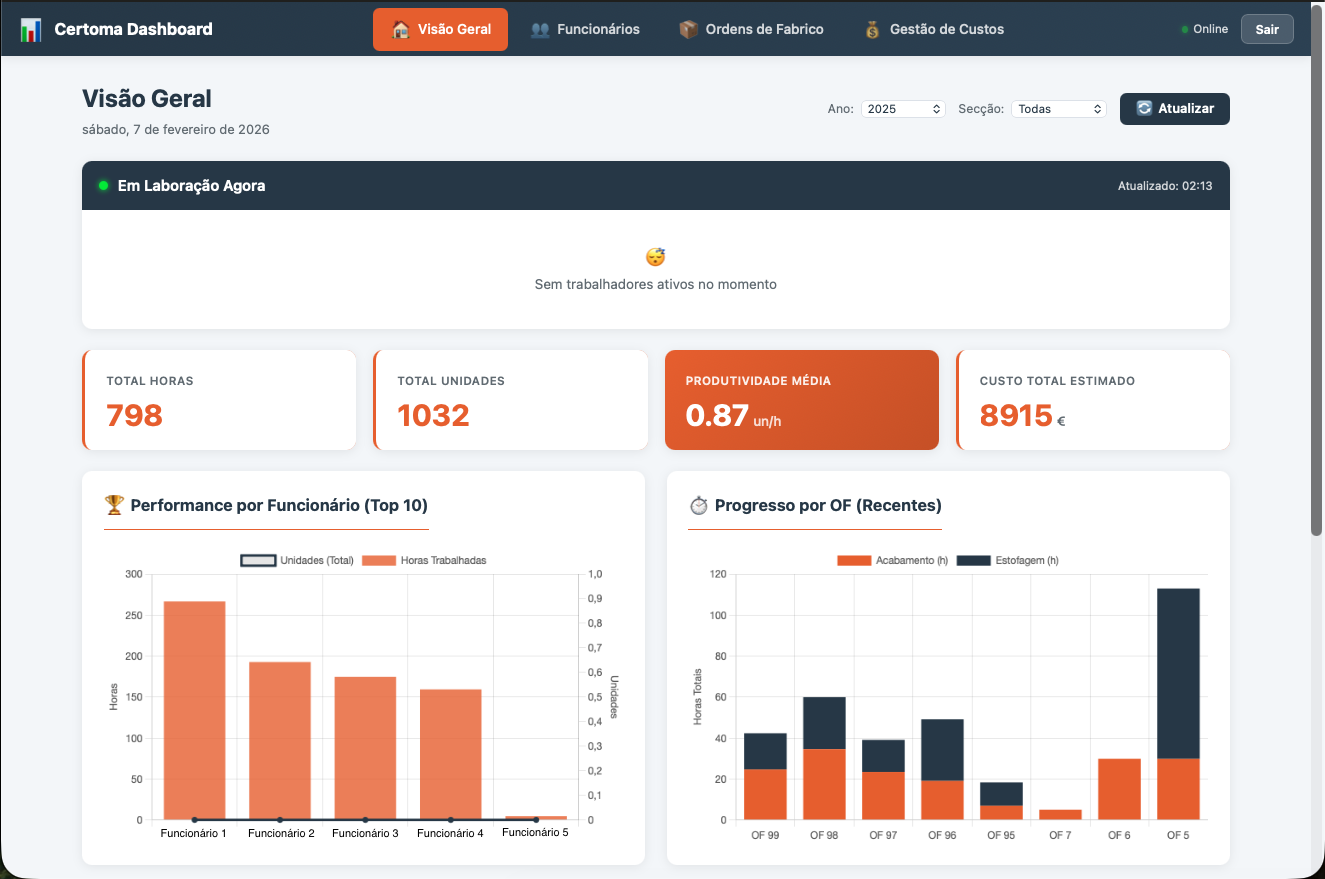
The management dashboard aggregates the data and shows active workers in real time, performance analytics and cost tracking with Chart.js.
Outcome
Production records went from paper to 100% digital across the 6 sections. Management now checks active workers, productivity and costs in real time, and finds bottlenecks with far less friction.
Known limitations
- Notion’s rate limit (3 req/s) caps practical concurrency at ~20–30 tablets.
- Dashboard authentication is client-side only (server-side sessions planned).
- No HTTPS on the local network - a trusted environment is assumed.
Learnings
- Hard constraints simplify decisions: with 2011 hardware, the most compatible solution was also the simplest to maintain.
- On a factory floor, offline-first is not an extra - it is the core requirement. The backoff queue is what made the system trustworthy.